
You’re looking for a CNC machine that won’t let you down on intricate wood carving projects. The right one balances a rigid frame, precise motion control, and a capable spindle. These ten models have earned that trust. Let’s walk through what makes each stand out, starting with a powerhouse that expands your possibilities.
| Genmitsu CNC PROVerXL 6050 Plus Router |  | Best Workhorse | Working Area (X x Y x Z): 23.62″ x 19.69″ x 4.53″ | Spindle Power: 300W | Construction Material: All-metal frame | VIEW LATEST PRICE | Read Our Analysis |
| Genmitsu CNC Router PROVerXL 4030 |  | Best Scalability | Working Area (X x Y x Z): 15.7″ x 11.8″ x 4.3″ | Spindle Power: Not specified (high-power, supports Dewalt DWP611 upgrade) | Construction Material: Aluminum components | VIEW LATEST PRICE | Read Our Analysis |
| FoxAlien Masuter Pro 3-Axis CNC Router |  | Best for Hobbyists | Working Area (X x Y x Z): 15.75″ x 15.75″ x 2.36″ | Spindle Power: 300W | Construction Material: All-metal, primarily aluminum | VIEW LATEST PRICE | Read Our Analysis |
| Genmitsu CNC Router 4040-PRO for Metal Engraving |  | Best for Metal | Working Area (X x Y x Z): 15.7″ x 15.7″ x 3.1″ | Spindle Power: 300W | Construction Material: Aluminum and acrylic body with steel HSS frame | VIEW LATEST PRICE | Read Our Analysis |
| Genmitsu CNC 3018-PRO Router Kit |  | Best Entry Level | Working Area (X x Y x Z): 300 x 180 x 45mm | Spindle Power: 120W (24V) | Construction Material: Not specified | VIEW LATEST PRICE | Read Our Analysis |
| CNC 4040 PRO Router Machine 3 Axis |  | Most Affordable | Working Area (X x Y x Z): Not specified | Spindle Power: 500W | Construction Material: Aluminum | VIEW LATEST PRICE | Read Our Analysis |
| Twotrees TTC450 Pro CNC Router with NEMA 57 Motor |  | Best Precision | Working Area (X x Y x Z): 18.1″ x 18.1″ x 3.15″ (460 x 460 x 80mm) | Spindle Power: 775 brushed spindle motor (500W equivalent) | Construction Material: Aluminum alloy and stainless steel | VIEW LATEST PRICE | Read Our Analysis |
| FoxAlien Masuter 3S CNC Router Machine |  | Most Versatile | Working Area (X x Y x Z): 15.75″ x 15.75″ x 3.74″ | Spindle Power: 400W | Construction Material: Reinforced aluminum extrusions | VIEW LATEST PRICE | Read Our Analysis |
| ACMER Ascarva 3 S 500W CNC Router |  | Best Compact | Working Area (X x Y x Z): 11.81″ x 7.09″ x 3.07″ | Spindle Power: 500W | Construction Material: Reinforced aluminum alloy panels and extrusions | VIEW LATEST PRICE | Read Our Analysis |
| TTC3018 Pro CNC Router Machine (3-Axis Engraving) | Best for Beginners | Working Area (X x Y x Z): 300 x 180 x 40mm | Spindle Power: 775 spindle motor (7000-9000RPM) | Construction Material: All-metal, primarily aluminum | VIEW LATEST PRICE | Read Our Analysis |
More Details on Our Top Picks
Genmitsu CNC PROVerXL 6050 Plus Router
If you’re serious about tackling a wide range of carving projects without breaking the bank, the Genmitsu PROVerXL 6050 Plus is a reliable workhorse. You get a spacious 23.62″ x 19.69″ x 4.53″ work area, perfect for bigger wood, acrylic, or even metal pieces. Its 300W spindle motor and all-metal frame deliver precision and durability. You’ll appreciate the dual HG-15 linear rails and single Y-axis T10 lead screw for quieter, smoother cuts. The modular T-track grid lets you swap spoil boards or clamp sets easily. Plus, manual jog wheels on NEMA23 motors make positioning a breeze. It’s a solid, upgradable machine for serious projects.
- Working Area (X x Y x Z):23.62″ x 19.69″ x 4.53″
- Spindle Power:300W
- Construction Material:All-metal frame
- Control System:Not specified (stepper motor based with manual jog wheels)
- Stepper Motors:NEMA23 stepper motors
- Weight:Not specified
- Additional Feature:Dual HG-15 linear rails
- Additional Feature:Pre-assembled core system
- Additional Feature:Manual jog wheels
Genmitsu CNC Router PROVerXL 4030
The Genmitsu PROVerXL 4030 is built for scalability. You get a stable 400 x 300mm workspace with that rigid C-beam structure and dual screw Y-axis drive, but you’re not locked into it. This platform lets you upgrade to 24×24 or even 40×40 inches later, so you can start small and grow your projects. It includes NEMA 23 steppers, a high-power spindle running at 12,000 RPM, and a Z probe for quick setup. Plus, a 3 month Carveco Maker subscription gets you designing right away. You’ve got everything out of the box, even limit switches and an emergency stop.
- Working Area (X x Y x Z):15.7″ x 11.8″ x 4.3″
- Spindle Power:Not specified (high-power, supports Dewalt DWP611 upgrade)
- Construction Material:Aluminum components
- Control System:Not specified (includes control box and drive system)
- Stepper Motors:NEMA23 stepper motors
- Weight:Approximately 31 kg
- Additional Feature:Dual screw Y-axis drive
- Additional Feature:Optional Dewalt DWP611 adapter
- Additional Feature:3-month Carveco Maker subscription
FoxAlien Masuter Pro 3-Axis CNC Router
You’re looking for a CNC router that won’t fight you on setup or stability. FoxAlien Masuter Pro delivers with an all-aluminum frame and linear rail Z-axis, so you get precision without wobble. Assembly takes just 10–15 minutes thanks to pre-wired components and a clear manual.
You’ll appreciate the flexibility: it comes with 52mm and 65mm spindle clamps, supporting 60W, 300W, or even 1.5KW spindles. Its work area measures 15.75” x 15.75” x 2.36”, and you can add the Y-axis extension for bigger projects. A dust-resistant controller with easy emergency stop keeps operation safe. It weighs about 13 kg, runs at 10,000 RPM, and carries a one-year warranty. Solid choice!
- Working Area (X x Y x Z):15.75″ x 15.75″ x 2.36″
- Spindle Power:300W
- Construction Material:All-metal, primarily aluminum
- Control System:Not specified (includes controller box with E-stop and home buttons)
- Stepper Motors:Not specified
- Weight:Approximately 13 kg
- Additional Feature:Optional Y-axis extension kit
- Additional Feature:Dust-resistant controller box
- Additional Feature:Two spindle clamps included
Genmitsu CNC Router 4040-PRO for Metal Engraving
Genmitsu CNC Router 4040-PRO is built for metal engraving, but don’t let that limit you; it handles acrylic and wood just as well. You’ll appreciate its 15.7” x 15.7” x 3.1” working area, perfect for hobbyist or light pro projects. Its steel HSS frame with dual linear tubes on each axis offers you serious rigidity. The upgraded control box now includes an emergency stop and home buttons inside a dust-proof casing. You can set it up in about 15 minutes, too. Consider adding the 4th axis rotary module for 3D carving. It’s a solid, versatile workhorse.
- Working Area (X x Y x Z):15.7″ x 15.7″ x 3.1″
- Spindle Power:300W
- Construction Material:Aluminum and acrylic body with steel HSS frame
- Control System:GRBL control
- Stepper Motors:Not specified (uses Toshiba TB6S109 driver)
- Weight:Approximately 20.84 kg
- Additional Feature:Steel HSS frame construction
- Additional Feature:Toshiba TB6S109 32-bit driver
- Additional Feature:Wi-Fi module upgrade option
Genmitsu CNC 3018-PRO Router Kit
For anyone diving into CNC carving without breaking the bank, this kit is a solid entry point. You get a 3-axis system with GRBL control, giving you a 300 x 180 x 45mm workspace. That’s enough for plastics, acrylics, PCBs, soft aluminum, and plenty of woods. The upgraded design cuts down assembly fuss, and the taller 4cm base adds stability.
Your spindle runs at 20,000 RPM, no G-code tweaks needed. Want bigger projects? Grab the Genmitsu 3040 Y-axis extension kit. Software? Candle handles G-code, while Carveco Maker Cam designs your pieces. It’s all powered by open-source Grbl on Arduino, so you’ve got tons of support at your fingertips.
- Working Area (X x Y x Z):300 x 180 x 45mm
- Spindle Power:120W (24V)
- Construction Material:Not specified
- Control System:GRBL control (Arduino-based)
- Stepper Motors:Not specified (42-step motor implied)
- Weight:Approximately 15.3 lbs (6.94 kg)
- Additional Feature:Offline controller support
- Additional Feature:20,000 RPM spindle capability
- Additional Feature:Optional 3040 Y-axis extension
CNC 4040 PRO Router Machine 3 Axis
If you want desktop CNC capability without breaking your budget, the 4040 PRO is your most affordable path into precision wood carving. Its V-wheel and linear rail structure keep everything stable, while the 500W spindle handles both hobbyist and industrial projects. You get GRBL control with Candle software, so you can set origins, preview in 3D, and activate axes. Plus, a Z probe automates tool setting. Assembly is quick with pre wired parts. Accessories include clamps, wrenches, a test wood board, and a flash drive full of tutorials. And here’s a nice safety touch: limit switches and an emergency stop. It’s a solid setup at a friendly price.
- Working Area (X x Y x Z):Not specified
- Spindle Power:500W
- Construction Material:Aluminum
- Control System:GRBL control
- Stepper Motors:42-step motor
- Weight:Approximately 19.12 kg
- Additional Feature:V-wheel and linear rail structure
- Additional Feature:2GT belt on X/Y axes
- Additional Feature:500W spindle motor
Twotrees TTC450 Pro CNC Router with NEMA 57 Motor
The Twotrees TTC450 Pro is your pick if you demand precision down to 0.0025 mm. That’s not just a number; it’s the result of its NEMA 57 motor driving the Z-axis with incredible accuracy. You’ll appreciate the 3.5-inch touch screen for easy control, plus the all-metal frame keeps everything rock solid.
Here’s what you can do with it:
- Materials: Wood, acrylic, aluminum, even stainless steel.
- Work area: 460 x 460 x 80 mm, perfect for signs or furniture panels.
- Upgrades: Add a 4th axis or a laser module through the control box.
And it’s certified CE, FCC, RoHS, so you’re safe out of the box.
- Working Area (X x Y x Z):18.1″ x 18.1″ x 3.15″ (460 x 460 x 80mm)
- Spindle Power:775 brushed spindle motor (500W equivalent)
- Construction Material:Aluminum alloy and stainless steel
- Control System:GRBL control system (open-source)
- Stepper Motors:NEMA57 stepper motor (Z-axis)
- Weight:Approximately 20.5 kg
- Additional Feature:3.5-inch IPS touch screen
- Additional Feature:NEMA 57 stepper motor
- Additional Feature:CE, FCC, RoHS certified
FoxAlien Masuter 3S CNC Router Machine
Watch out for step loss during your carving sessions, because the FoxAlien Masuter 3S CNC Router Machine stands as the most versatile choice for hobbyists and professionals who demand precision without compromise. Its NEMA 23-76 closed loop stepper motors deliver 2.2 Nm of torque, so you won’t lose steps even when pushing speeds up to 10,000 mm/min. You’ll achieve an accuracy of 0.05mm across a spacious 15.75″ x 15.75″ x 3.74″ workspace, expandable with an X axis extension kit. And when you want to tackle cylindrical work, add the 4th Axis Rotary Module for 360° engraving on mugs or chess pieces. The 400W spindle handles soft metals and plastics, but you can upgrade to a 1.5kW option for tougher jobs. The reinforced 2360mm extrusions and dual HG-15 linear rails keep everything rock solid. Plus, the dust proof control box makes operation reliable and simple. You’ll get professional results without the headache.
- Working Area (X x Y x Z):15.75″ x 15.75″ x 3.74″
- Spindle Power:400W
- Construction Material:Reinforced aluminum extrusions
- Control System:Not specified (includes dust-proof control box)
- Stepper Motors:NEMA23-76 closed-loop stepper motors
- Weight:Approximately 26.5 kg
- Additional Feature:NEMA 23-76 closed-loop motors
- Additional Feature:Reinforced 2360mm extrusions
- Additional Feature:4th Axis Rotary Module compatible
ACMER Ascarva 3 S 500W CNC Router
For a compact CNC router that handles small to medium projects with serious precision, the ACMER Ascarva 3 S 500W is a solid compact choice. You’ll get an 11.81” x 7.09” x 3.07” working area, perfect for wood, plastic, or even metal. That 500W spindle hits 12,000 RPM, giving you fine detail with ±0.025 mm repeat accuracy. It’s built from reinforced aluminum for stability, weighs about 25.4 lbs, and includes safety features like an emergency stop and six limit switches. Setup is modular, so you can expand it later. Plus, it works with Candle or Easel on Windows, Mac, or Linux. Just load your .nc or .gcode file and go!
- Working Area (X x Y x Z):11.81″ x 7.09″ x 3.07″
- Spindle Power:500W
- Construction Material:Reinforced aluminum alloy panels and extrusions
- Control System:ESP32 mainboard (GRBL compatible)
- Stepper Motors:Not specified
- Weight:Approximately 11.5 kg
- Additional Feature:ESP32 mainboard controller
- Additional Feature:Six limit switches
- Additional Feature:Dedicated tool setter
TTC3018 Pro CNC Router Machine (3-Axis Engraving)
If you’re new to CNC and want a reliable entry point, the TTC3018 Pro makes sense. It’s a compact, all-metal 3 axis machine built for wood, acrylic, MDF, and nylon. The all metal Z axis and T8 anti backlash lead screws give you 0.1mm precision, so your cuts stay consistent without shaking. You get a 300x180x40mm work area, which is perfect for small DIY projects or customization work.
This machine runs on GRBL and works with Windows, Mac, and popular CAD/CAM tools like Fusion360. You don’t need to buy anything extra. The kit includes:
- 10 cutters
- An ER11 collet (0.5-7mm)
- A 775 spindle motor at 7000-9000RPM
It’s also great for learning, with over 40 components to assemble. Just plug it in via USB and start engraving.
- Working Area (X x Y x Z):300 x 180 x 40mm
- Spindle Power:775 spindle motor (7000-9000RPM)
- Construction Material:All-metal, primarily aluminum
- Control System:GRBL control (32-bit control board)
- Stepper Motors:Not specified
- Weight:15 lbs (6.8 kg)
- Additional Feature:T8 backlash-eliminating lead screws
- Additional Feature:32 GRBL control board
- Additional Feature:40+ assembly components
Factors to Consider When Choosing a CNC Machine for Wood Carving
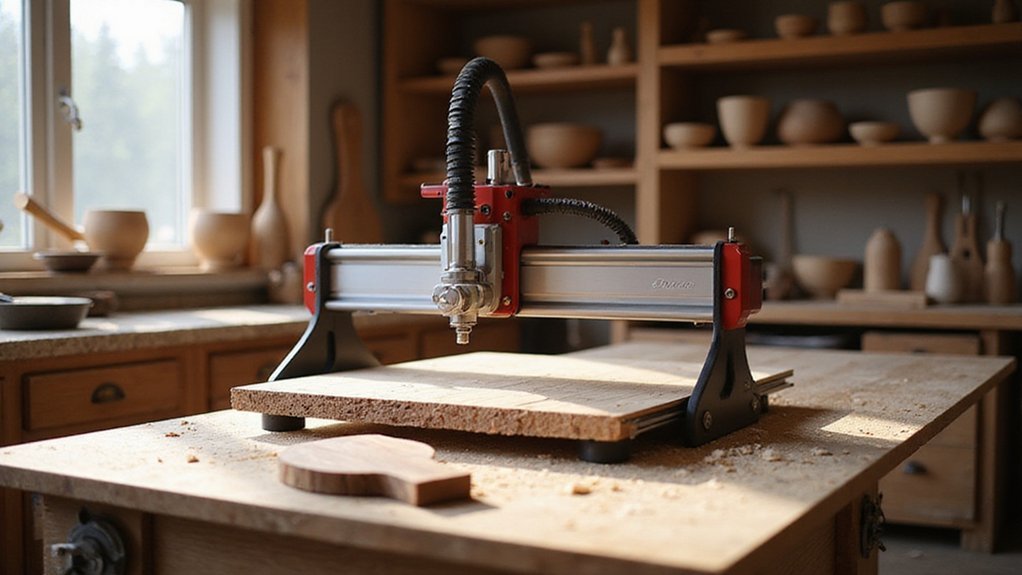
When sizing up a CNC machine for wood carving, you’ll first want to evaluate the work area size, as that directly dictates the maximum dimensions of your projects. Spindle power is your next critical factor, since a higher wattage motor lets you cut through hardwoods faster without bogging down. And don’t overlook the build material quality, control software compatibility, and assembly difficulty level, as these collectively determine the machine’s long-term durability, ease of use, and overall value.
Work Area Size
How big of a work area do you actually need? That’s the real question. Your machine’s work area sets the maximum size for any wood piece you carve or engrave in one session. A larger work area fits more extensive projects, but it demands extra space and a bigger budget. A smaller work area is perfect for detailed, intricate carvings and tight workshops. The key is matching your typical project sizes. So, measure your most common pieces, then add a few inches for breathing room. But don’t ignore future projects. Consider if you’ll want to scale up later. For example, a 12×12 inch area handles signs beautifully, while a 24×24 inch space opens doors to tabletops. Pick a size that grows with you, not one that boxes you in.
Spindle Power
What does spindle power really mean for your wood carving projects? It’s your machine’s muscle. More wattage lets you chew through dense woods faster and handle deeper cuts without stalling. Typical spindles range from 300W to over 1.5kW. For heavy duty tasks, you’ll want that extra punch for complex patterns and prolonged use. It also prevents overheating and burnout, delivering smoother finishes. But for delicate work, a lower powered spindle actually gives you better control, so you don’t overpower fine details. Think of it this way:
- High power (1.5kW+): Ideal for hardwood, deep carves, and large batches.
- Mid range (800W–1.2kW): Great all around for most home workshop projects.
- Low power (300W–600W): Perfect for intricate, shallow cuts where precision matters more than speed.
Choose based on what you carve most, not just what sounds impressive.
Build Material Quality
Since build material quality directly affects how your machine performs over time, it’s worth paying close attention to what your CNC is made of. You want high-quality materials like aluminum alloys and all-metal frames. Why? They guarantee durability and stability during wood carving. Strong construction also absorbs vibrations and reduces chatter, giving you cleaner, more precise carvings every time.
Look for reinforced components like linear rails and lead screws. These precision-engineered parts enhance accuracy and assure your machine performs consistently for years. Plus, premium materials resist wear and corrosion, so you won’t face misalignment or deflection even on larger, complex projects.
Ultimately, a well-built CNC means you can focus on your craft, not constant repairs. Choose steel or aluminum over plastic. Your carvings will thank you.
Control Software Compatibility
Once you’ve locked in a machine built with quality materials, the next thing to sort out is whether its control software actually fits your workflow. You’ll want a machine that plays nice with popular platforms like Candle, UGS, Mach3, or GRBL. That guarantees seamless operation. And don’t forget your design software compatibility. Machines that support ArtCam, Fusion 360, or Carveco Maker make project prep a breeze.
Check that the control system handles G-code files, the universal language for CNC machining. Also, confirm it runs on your operating system, whether that’s Windows, macOS, or Linux. You don’t want integration headaches.
Finally, look for built-in support for offline controllers or mobile apps. That flexibility lets you carve without being tethered to a computer. It’s a real game changer for your workshop flow.
Assembly Difficulty Level
If you’re not exactly a gearhead, assembly difficulty can make or break your first CNC experience. Some machines arrive fully assembled, so you’re carving within an hour. Others come as a box of parts, requiring you to manually wire motors and align gantries. All-metal, modular frames typically demand more steps than simpler plastic-bodied models. But don’t assume complicated means better. Look for machines with detailed manuals, assembly videos, and pre-wired components; these cut setup time to under two hours. Compact models with integrated XYZ axes minimize fuss, while tool less adjustments and plug and play parts let you skip the wrenches entirely. A machine that snaps together beats one that needs micrometer perfect alignment every time. Your first setup shouldn’t feel like an engineering exam.
Expandability Options
Once you’ve got your machine assembled and running, you’ll eventually want to push its limits. Consider expandability from the start. Does the machine support modular expansion kits? That’s key for future size upgrades. Check if you can add extra axes or tooling attachments later, like a rotary axis for carving cylinders. Ensure the frame’s structural design can handle a larger work table or a higher power spindle without flexing. Software compatibility matters too; you don’t want to be locked out of upgrades. Look for easy integration of dust collection or extra tool holders. Ultimately, a machine that grows with your skills saves you from buying a whole new one later. Pick one that invites expansion, not one that restricts it.
Safety Features
Before you even think about spindle speed or software upgrades, you’ve got to lock in safety features. Look for an emergency stop button and limit switches. They halt runaway spindles or prevent crashes, saving your workpiece and fingers. Dust-proof enclosures and protective covers are nonnegotiable too. They shield you from flying wood chips and fine dust, which can trigger respiratory issues or fires.
Auto shut-off systems add peace of mind, cutting power if something goes wrong. And don’t overlook proper grounding. Without it, you risk nasty electrical shocks or shorts. The user interface matters: clear safety warnings and easily accessible controls keep you out of trouble.
For example, a machine with an e-stop reachable by knee or foot is smart. Pair that with an enclosure that seals debris. You’ve got a safe, reliable setup. No shortcuts on safety, ever.