
So, you want a CNC router that chops through budgets without chopping through quality. You’re looking for precise engraving, reliable cutting, and a machine that won’t need replacing next year. Let’s walk through ten options that balance cost, metal frames, and expandable features, starting with a workhorse that handles metal engraving right out of the box.
| Genmitsu CNC Router 4040-PRO for Metal Engraving |  | Best Value | Working Area (X x Y x Z): 15.7” x 15.7” x 3.1” | Spindle Power: 300W (stock), supports up to 300W | Machine Weight: 20.84 kg | VIEW LATEST PRICE | Read Our Analysis |
| FoxAlien XE-Ultra 8080 CNC Router |  | Professional Grade | Working Area (X x Y x Z): 33” x 33” x 4.72” | Spindle Power: Open ecosystem (supports 1.5kW, router, or engraving modules) | Machine Weight: 40 kg | VIEW LATEST PRICE | Read Our Analysis |
| Twotrees TTC450 Pro CNC Router with Touch Screen |  | Easiest Operation | Working Area (X x Y x Z): 18.1” x 18.1” x 3.15” (460 x 460 x 80 mm) | Spindle Power: 775 brushed spindle motor | Machine Weight: 20.5 kg | VIEW LATEST PRICE | Read Our Analysis |
| LUNYEE 3020 Nova CNC Router Machine |  | Most Precise | Working Area (X x Y x Z): 11.8” x 7.9” x not specified (3020 Nova) | Spindle Power: 800W all-metal spindle | Machine Weight: 19.2 kg | VIEW LATEST PRICE | Read Our Analysis |
| GRBL CNC 4040 PRO 3 Axis Engraving Machine |  | Best for Metal | Working Area (X x Y x Z): 15.7” x 15.7” x not specified (4040) | Spindle Power: 500W spindle | Machine Weight: 19.12 kg | VIEW LATEST PRICE | Read Our Analysis |
| FoxAlien Masuter Pro 3-Axis CNC Router |  | Best for Beginners | Working Area (X x Y x Z): 15.75” x 15.75” x 2.36” | Spindle Power: 300W | Machine Weight: 13 kg | VIEW LATEST PRICE | Read Our Analysis |
| Genmitsu CNC Router PROVerXL 4030 |  | Most Expandable | Working Area (X x Y x Z): 15.7” x 11.8” x 4.3” | Spindle Power: High-power spindle (optional Dewalt DWP611) | Machine Weight: 31 kg | VIEW LATEST PRICE | Read Our Analysis |
| SainSmart Genmitsu 4040-PRO MAX CNC Router |  | Most Powerful | Working Area (X x Y x Z): 16.1” x 15.9” x 3.03” (410 x 405 x 77 mm) | Spindle Power: 710W digital display router | Machine Weight: Not specified | VIEW LATEST PRICE | Read Our Analysis |
| TTC3018 Pro CNC Router Machine 3-Axis Engraving | Compact Pick | Working Area (X x Y x Z): 11.8” x 7.1” x 1.57” (300 x 180 x 40 mm) | Spindle Power: 775 spindle motor (7000-9000 RPM) | Machine Weight: 15 pounds (6.8 kg) | VIEW LATEST PRICE | Read Our Analysis | |
| Genmitsu CNC 3018-PRO Router Kit |  | Budget-Friendly | Working Area (X x Y x Z): 11.8” x 7.1” x 1.77” (300 x 180 x 45 mm) | Spindle Power: 20,000 RPM spindle (120W) | Machine Weight: 15.3 pounds (6.9 kg) | VIEW LATEST PRICE | Read Our Analysis |
More Details on Our Top Picks
Genmitsu CNC Router 4040-PRO for Metal Engraving
You’re after solid metal engraving without a sky-high price tag. The Genmitsu 4040-PRO delivers with a steel HSS frame and dual 16mm linear tubes on each axis. That’s serious stability for precise cuts. Its lead screw drivers keep everything tight and accurate.
Key specs you’ll love:
- Working area: 15.7” x 15.7” x 3.1”
- GRBL control for easy software setup
- Upgraded control box with emergency stop and home buttons
- Dust-proof metal casing
Setup takes just 15 minutes. Want rotary carving? Add the 4th axis module. Need mobile control? Grab the Wi-Fi add on. This machine balances hobbyist budget with light professional muscle.
- Working Area (X x Y x Z):15.7” x 15.7” x 3.1”
- Spindle Power:300W (stock), supports up to 300W
- Machine Weight:20.84 kg
- Frame/Construction Material:Aluminum and acrylic body, steel HSS frame
- Control System/Firmware:GRBL, Toshiba TB6S109 32-bit driver
- Linear Motion Components:Dual 16mm linear tubes, lead screws, dual Y-axis rails
- Additional Feature:4th axis rotary module support
- Additional Feature:Wi-Fi module mobile control
- Additional Feature:15-minute pre-assembled setup
FoxAlien XE-Ultra 8080 CNC Router
The FoxAlien XE-Ultra 8080 is professional grade from the ground up. You get an industrial 46x80mm aluminum frame, 16mm ball screws on XY, and 12mm on Z, with HG-15 linear rails. That combo handles speeds up to 5,000mm/min without losing precision. The 33×33 inch workspace lets you tackle big projects, and the 5.3 inch pass height handles thicker materials.
Choose your spindle freely: the 65mm clamp works with most routers, or add FoxAlien’s 1.5kW VFD. The 32-bit control box features real time diagnostics and a reserved 4th axis port for future expansion. Dual layer collision protection from industrial limit switches keeps everything safe.
- Working Area (X x Y x Z):33” x 33” x 4.72”
- Spindle Power:Open ecosystem (supports 1.5kW, router, or engraving modules)
- Machine Weight:40 kg
- Frame/Construction Material:Industrial-grade 46x80mm aluminum frame
- Control System/Firmware:Smart 32-bit control box, diagnostics
- Linear Motion Components:16mm ball screws (XY), 12mm ball screws (Z), HG-15 linear rails
- Additional Feature:33x33x4.72 inch workspace
- Additional Feature:NEMA 23 closed-loop stepper motors
- Additional Feature:Industrial inductive limit switches
Twotrees TTC450 Pro CNC Router with Touch Screen
Twotrees TTC450 Pro offers easiest operation with its 3.5-inch IPS touch screen, so you’ll skip the laptop dance and dive straight into projects. Its all-metal frame, with aluminum alloy and stainless steel, gives you rock-solid stability for precise cuts on materials like wood, acrylic, and even stainless steel. You get a large 460 x 460 x 80 mm work area, perfect for signs or batch production. The NEMA 57 stepper motor delivers up to 0.0025 mm accuracy, ideal for multi-layer engraving. Plus, you can upgrade to 4-axis or add a laser module later. Great for your small workshop!
- Working Area (X x Y x Z):18.1” x 18.1” x 3.15” (460 x 460 x 80 mm)
- Spindle Power:775 brushed spindle motor
- Machine Weight:20.5 kg
- Frame/Construction Material:All-metal (aluminum alloy and stainless steel)
- Control System/Firmware:Open-source GRBL control system
- Linear Motion Components:Dual limit switches on XYZ, lead screw-driven
- Additional Feature:3.5-inch IPS capacitive touchscreen
- Additional Feature:NEMA 57 stepper motor
- Additional Feature:CE, FCC, RoHS certified
LUNYEE 3020 Nova CNC Router Machine
For hobbyists and small shop owners seeking precision without breaking the bank, we’ve found the LUNYEE 3020 Nova to be the most precise option in its class. You’ll love its all-metal frame and industrial-grade ball screws that deliver ±0.05mm accuracy, no backlash here. This machine cuts aluminum, brass, wood, acrylics, PCBs, and leather with ease.
Its 800W spindle hits 30,000 RPM, with six speed settings for constant torque. You can move at 5000mm/min, so projects fly. It’s fully assembled, just mount the Z-axis and power up.
Software: Works with UGS, Fusion 360, Easel, and Candle. Setup: 20 minutes, tops. And it fits a 20×10 cm vise for desktop work. Plus, a 30-day return policy through Amazon backs your buy. Reliable, affordable, and ready to go!
- Working Area (X x Y x Z):11.8” x 7.9” x not specified (3020 Nova)
- Spindle Power:800W all-metal spindle
- Machine Weight:19.2 kg
- Frame/Construction Material:All-metal frame
- Control System/Firmware:GRBL firmware-compatible
- Linear Motion Components:1204 ball screws, HG-15 linear guides (all axes)
- Additional Feature:800W all-metal spindle
- Additional Feature:Fully assembled pre-wired
- Additional Feature:1204 ball screws with HG-15 guides
GRBL CNC 4040 PRO 3 Axis Engraving Machine
You want a metal capable desktop CNC that doesn’t break your back to move? This 4040 PRO weighs about 19 kilos, so you can actually lift it. Its V-wheel and linear rail structure keeps things stable on metal or wood. You get a 500W spindle, and the GRBL control with Candle software gives you 3D preview and auto tool setting via the Z-probe. Assembly is quick since many parts come pre-wired. Plus, you have safety features like emergency stop and limit switches. It’s a solid choice for hobbyist or pro work without the industrial price tag.
- Working Area (X x Y x Z):15.7” x 15.7” x not specified (4040)
- Spindle Power:500W spindle
- Machine Weight:19.12 kg
- Frame/Construction Material:Aluminum (blue)
- Control System/Firmware:GRBL control software
- Linear Motion Components:V-wheel and linear rail structure, 2GT belt (XY), TR8-2T screw (Z)
- Additional Feature:2GT belt on X/Y axes
- Additional Feature:4GB flash drive with tutorials
- Additional Feature:Automatic Z-probe tool setter
FoxAlien Masuter Pro 3-Axis CNC Router
The FoxAlien Masuter Pro is a solid entry point for newcomers to CNC routing. You’ll appreciate its all-metal aluminum frame, which provides the stability you need for precise work. Setup takes just 10 to 15 minutes, thanks to pre-assembled components and pre-wired parts. A dust-resistant controller box with accessible emergency stop and home buttons makes operation safer and more convenient.
You get a 15.75 x 15.75 x 2.36-inch work area, expandable with an optional Y-axis extension kit. Two spindle clamps (52mm and 65mm) let you upgrade easily. Plus, it comes with a one-year warranty and a solid 4.1-star rating from over 630 users.
- Working Area (X x Y x Z):15.75” x 15.75” x 2.36”
- Spindle Power:300W
- Machine Weight:13 kg
- Frame/Construction Material:All-metal (aluminum)
- Control System/Firmware:GRBL-based (dust-resistant controller box)
- Linear Motion Components:Linear rail Z-axis
- Additional Feature:Y-axis extension kit optional
- Additional Feature:Two spindle clamps included
- Additional Feature:10-15 minute assembly time
Genmitsu CNC Router PROVerXL 4030
Genmitsu PROVerXL 4030 is the most expandable CNC router on our list. You start with a solid 15.7” x 11.8” work area, perfect for wood, acrylic, even aluminum. But when you outgrow it, you’re not stuck. You can upgrade to a massive 40” x 40” workspace using expansion kits. That modular design makes this machine your long-term partner, not just a starter tool. Plus, you get everything out of the box: limit switches, a Z-probe, and a 3-month Carveco Maker subscription. It’s ready to carve, drill, and engrave without extra hassle.
- Working Area (X x Y x Z):15.7” x 11.8” x 4.3”
- Spindle Power:High-power spindle (optional Dewalt DWP611)
- Machine Weight:31 kg
- Frame/Construction Material:Aluminum (C-beam structure)
- Control System/Firmware:GRBL (beefy control box, NEMA 23)
- Linear Motion Components:Dual screw Y-axis drive, optical Z-axis drive, C-beam
- Additional Feature:C-beam structure with dual-screw Y-axis
- Additional Feature:3-month Carveco Maker subscription
- Additional Feature:Optical Z-axis drive
SainSmart Genmitsu 4040-PRO MAX CNC Router
Designed for serious hobbyists and small shop owners, this most powerful router in its class is the SainSmart Genmitsu 4040-PRO MAX. You’re getting a 710W digital display router, giving you superior cutting and engraving in wood, metal, and acrylic. Its work area measures 410 x 405 x 77mm, with a pass height of 100mm. That’s over 40% higher than previous models, so you can handle taller materials. The linear guideways on X and Z axes reduce vibrations, boosting stability during fast runs. Plus, the reinforced spoilboard with an integrated T-track and central aluminum support bar prevents sagging. It also offers versatile clamping options. A solid pick for precision work.
- Working Area (X x Y x Z):16.1” x 15.9” x 3.03” (410 x 405 x 77 mm)
- Spindle Power:710W digital display router
- Machine Weight:Not specified
- Frame/Construction Material:Aluminum with reinforced spoilboard
- Control System/Firmware:GRBL (advanced control)
- Linear Motion Components:Linear guideways on X and Z axes
- Additional Feature:710W digital display router
- Additional Feature:T-track reinforced spoilboard
- Additional Feature:100mm pass height capacity
TTC3018 Pro CNC Router Machine 3-Axis Engraving
If you’re a maker or educator on a budget, here’s your compact pick: the TTC3018 Pro CNC Router Machine. It’s an all-metal 3-axis engraver built for wood, acrylic, MDF, and nylon. You get a 300mm x 180mm x 40mm working area, plus T8 backlash-eliminating lead screws for 0.1mm precision. The all-metal Z-axis stops shaking during cuts. It runs on GRBL control software, works with Windows or Mac, and connects via USB. No WiFi or Bluetooth here, just a reliable wired connection. You’ll assemble 40+ components, learning XYZ motion along the way. It even handles lightweight aluminum and brass sheets. Perfect for small-scale DIY or classroom projects.
- Working Area (X x Y x Z):11.8” x 7.1” x 1.57” (300 x 180 x 40 mm)
- Spindle Power:775 spindle motor (7000-9000 RPM)
- Machine Weight:15 pounds (6.8 kg)
- Frame/Construction Material:All-metal (aluminum)
- Control System/Firmware:32 GRBL control board
- Linear Motion Components:T8 backlash-eliminating lead screws
- Additional Feature:T8 backlash-eliminating lead screws
- Additional Feature:40+ teaching assembly components
- Additional Feature:ER11 collet (0.5-7mm) included
Genmitsu CNC 3018-PRO Router Kit
Looking for an affordable entry into CNC without sacrificing quality? The Genmitsu CNC 3018-PRO Router Kit delivers exactly that. You get a dependable 3-axis system running open-source GRBL on Arduino, perfect for engraving, carving, and milling plastics, acrylics, PCBs, PVC, woods, and even soft aluminum. Its 300 x 180 x 45mm working area handles most small projects. The upgraded design reduces assembly fuss, plus the taller 4cm base boosts stability. You’ll love the offline controller support and 20,000 RPM spindle. And you can expand later with a 3040 Y-axis kit. It’s a capable, budget-friendly workhorse!
- Working Area (X x Y x Z):11.8” x 7.1” x 1.77” (300 x 180 x 45 mm)
- Spindle Power:20,000 RPM spindle (120W)
- Machine Weight:15.3 pounds (6.9 kg)
- Frame/Construction Material:Aluminum (upgraded base)
- Control System/Firmware:GRBL on Arduino
- Linear Motion Components:Leadscrew-driven (Y-axis extension compatible)
- Additional Feature:3040 Y-axis extension kit optional
- Additional Feature:4cm increased base height
- Additional Feature:20,000 RPM spindle operation
Factors to Consider When Choosing Affordable CNC Router
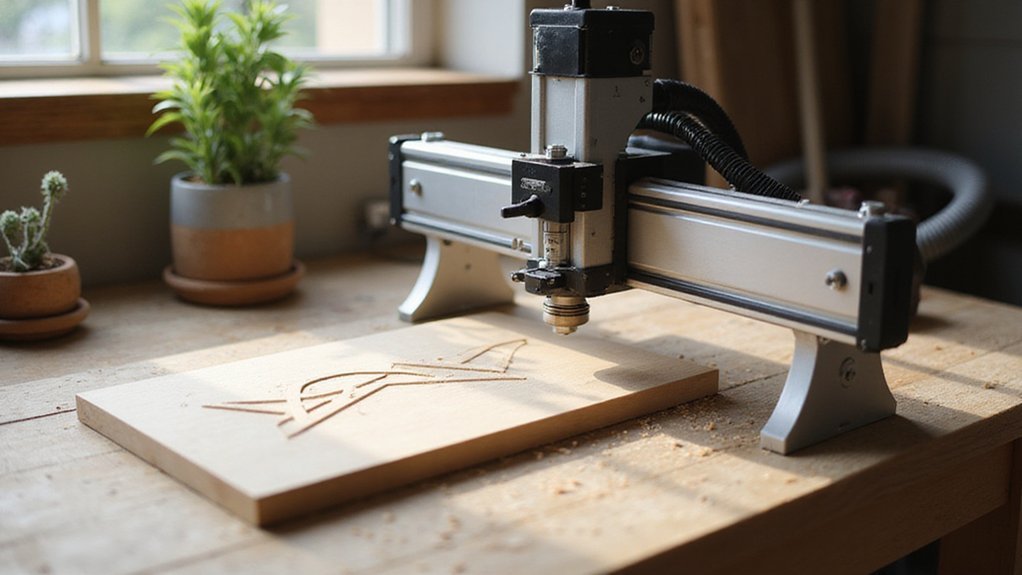
Before you buy, you’ll need to focus on five key factors. Your work area size determines what you can actually cut, while spindle power options range from 300W to 1.5kW for different materials. Build material quality, the control system type, and the assembly difficulty level all directly impact your long-term satisfaction and ease of use.
Work Area Size
One key factor you’ll face when picking an affordable CNC router is the work area size. This determines the maximum material dimensions you can process in one session. Larger areas mean more versatile projects, but they’ll cost you more and eat up workshop space. For hobbyists, compact machines with work areas ranging from 300x180mm to 400x300mm are ideal. Think about your future needs: will you want to cut bigger signs or furniture parts later? Can the machine’s area be upgraded? These dimensions are usually listed as length x width x height (or pass height). Don’t just buy for today; a slightly bigger work area now could save you from buying a second machine down the road. So match the size to your projects, not your budget’s first impulse.
Spindle Power Options
How do you pick the right spindle power without overpaying or underperforming? It comes down to your materials and ambition. For lightweight engraving and soft woods, a 200W to 500W spindle works fine. But if you’re cutting dense plastics or even metal, aim for 1500W to 3000W. That extra wattage lets you push harder without bogging down.
Most budget-friendly routers include adjustable spindle speeds. That’s a lifesaver. You can slow things down for larger bits or speed up for delicate detail work. Match the power to your project’s complexity, not your wallet’s temptation. A 2000W spindle won’t cost a fortune, and it gives you room to grow. Stick with what fits your typical jobs, and you’ll avoid the regret of buying too weak or too strong.
Build Material Quality
Spindle power matters, but it’s useless if your machine shakes apart while cutting. Build material quality is your real backbone here. You want an all-metal frame, like aluminum or steel, because it soaks up vibrations and keeps your cuts precise. Cheap plastic or low-grade composites? They wear fast, wobble under load, and ruin accuracy over time.
Look for reinforced spoilboards and linear guideways made from metal. These components lock everything in place, so you can cut or engrave across different materials safely. A rigid machine doesn’t just last longer; it delivers consistent results you can count on.
Don’t skimp on this. A flimsy frame turns a good spindle into a wasted investment. Prioritize durability, and your router won’t let you down when you push it hard.
Control System Type
If your CNC router’s frame is solid but the control system feels clunky or limited, you’re still fighting an uphill battle. This system determines software compatibility and workflow efficiency, so choose wisely. GRBL is your best bet for an affordable router: it’s open source, budget friendly, and plays nicely with tools like Candle or Universal G code Sender. Mach3 and LinuxCNC offer more customization but can add complexity. Your control system also decides the communication interface: USB is standard, while Ethernet or Wi Fi gives you cleaner setups. Want future expandability? Pick a system that supports 4th axis controls or laser modules, so you’re not stuck later. Don’t let a cheap controller sabotage your whole rig.
Assembly Difficulty Level
Once you’ve settled on a control system that won’t hold you back, the next big question is how much assembly you’re willing to tackle. Fully assembled models reduce setup time drastically, so consider that trade off against your budget.
Look for clear instructions. A well illustrated manual or video tutorial transforms a headache into a straightforward project. And you’ll want fewer, simpler parts. Machines with pre wired components and integrated modules minimize the need for technical know how, letting you focus on alignment rather than wiring.
Don’t forget support. Customer service or an active community forum is a lifesaver when a bolt won’t budge. In short, match the assembly difficulty to your patience level. A smart choice here saves you a weekend of fiddling and gets you cutting faster.
Accuracy and Precision
Accuracy matters. When you’re hunting for an affordable CNC router, you don’t want to sacrifice detail. Look for a machine boasting a positional precision of 0.0025 mm or better; that’s the sweet spot for crisp engravings. High-quality linear guides and ball screws aren’t just buzzwords they directly boost your machine’s consistency. Calibration features like Z-probes or automatic tool setters are your friends, keeping that accuracy dialed in over time.
Don’t overlook the frame’s rigidity. Any flex or vibration throws precision out the window, especially at higher speeds. And your control system? It needs advanced firmware like GRBL or Mach3 to stay sharp during rapid moves. Here’s your checklist:
- Seek 0.0025 mm precision or tighter.
- Guarantee rigid, vibration-free construction.
- Prefer machines with Z-probes for easy calibration.
Stick to these, and you’ll get professional results without breaking the bank.
Expandability Features
Two key factors make expandability a must-have when you’re picking an affordable CNC router: future-proofing your projects and getting more bang for your buck. So, what should you scope out? First, look for modular upgrades. You want a machine where you can swap in a larger work area or add an extra axis down the line. Second, check for compatible component upgrades. Think spindles, laser modules, or rotary attachments that expand what you can carve or cut. Third, don’t ignore the control system. It should accept firmware or software updates, letting you access new features or pair with different design programs. Fourth, verify the frame’s upgrade potential. Can you reinforce it for better precision? Finally, hunt for accessory expansion kits, like a 4th axis rotary. These make complex tasks possible without buying a whole new router.
Price-to-Performance Ratio
Moving from expandability, let’s talk about what really matters when you’re watching your budget: getting the most machine for your money. You’re looking for a high price-to-performance ratio, meaning advanced features without the premium cost. Evaluate specs like cutting area, motor power, and frame stability against the price tag. Cheaper routers can still deliver excellent performance if they include essential features like adjustable spindle speed and limit switches. And don’t overlook upgrade options a budget model that lets you add improvements later offers fantastic long term value.
Here’s what to check:
- Motor power: Look for at least 1.5 kW for reliable cuts.
- Cutting area: Match it to your typical project size.
- Software compatibility: Make sure it works with your preferred design tools.
- Customer reviews: They reveal real world performance and quirks.
You can snag impressive capability without emptying your wallet.