
Getting your hands on the right machine is the one key you’re missing. A beginner-friendly CNC doesn’t need to feel like a complicated science project. Models like the Genmitsu 3018-PROVer V2 can go from box to carving your first sign in under an hour. So which of these eight options will be your perfect intro?
Twotrees TTC450 Pro All-Metal CNC Router
https://m.media-amazon.com/images/I/91E7Nh7nVmL._AC_SX679_.jpg
For beginner makers who want a CNC they’ll actually master quickly, this all metal machine gives you a genuinely smooth screen experience. That 3.5-inch IPS touch screen makes operation feel almost as intuitive as your phone. You’ll dial in depth control without guesswork, thanks to the NEMA 57 Z-axis stepper and .0025 mm accuracy.
Your projects can scale up big time. The 460 x 460 x 80 mm work area handles furniture panels, signage, or batch runs. And since it runs open-source GRBL, you’re free to use ArtCam, Fusion 360, or Easel. Plus, you’ll get:
- 10 cutting tools (pointed bits, flat end mills, chamfer cutters)
- 6 clamping plates and test materials
- CE, FCC, RoHS safety certifications
You’re also future-proofed. The control box has ports for a 4th axis or laser module. So whether you’re carving aluminum or acrylic, you’ll grow with this machine.
| CNC Router 3030-Evo Max All-Metal Dual Guides |  | Most Expandable | Work Area (X×Y×Z): Not specified (compact, 19.72″ W base) | Spindle Type and Power: 800W trim router, 6-speed 8-24k RPM | Machine Weight: 39.46 pounds | VIEW LATEST PRICE | Read Our Analysis |
| Twotrees TTC450 Pro All-Metal CNC Router |  | Best Screen Experience | Work Area (X×Y×Z): 460×460×80mm (18.1″ square) | Spindle Type and Power: 775 brushed spindle motor (unspecified wattage) | Machine Weight: ~45.2 pounds (20.5 kg) | VIEW LATEST PRICE | Read Our Analysis |
| TTC3018 Pro CNC Router Machine 3-Axis Engraver | Best Budget Value | Work Area (X×Y×Z): 300×180×40mm | Spindle Type and Power: 775 spindle motor, 7000-9000 RPM | Machine Weight: 15 pounds | VIEW LATEST PRICE | Read Our Analysis | |
| Genmitsu CNC 3018-PRO Router Kit 3 Axis |  | Best Entry-Level | Work Area (X×Y×Z): 300×180×45mm | Spindle Type and Power: 120W motor, 20k RPM | Machine Weight: 15.3 pounds | VIEW LATEST PRICE | Read Our Analysis |
| FoxAlien Masuter Pro CNC Router Machine |  | Easiest Assembly | Work Area (X×Y×Z): 400×400×60mm (15.75″×15.75″×2.36″) | Spindle Type and Power: 300W spindle (supports 60W-1.5kW upgrades) | Machine Weight: ~28.7 pounds (13 kg) | VIEW LATEST PRICE | Read Our Analysis |
| TTC3018 CNC Router 3-Axis GRBL Engraver |  | Lightest Weight | Work Area (X×Y×Z): 300×180×40mm | Spindle Type and Power: 775 spindle, 7000-9000 RPM | Machine Weight: 13.2 pounds | VIEW LATEST PRICE | Read Our Analysis |
| SainSmart Genmitsu 3018-PROVer V2 CNC Router |  | Most Popular | Work Area (X×Y×Z): Not specified (3018 class) | Spindle Type and Power: Unspecified wattage, 10k RPM | Machine Weight: ~21.4 pounds (342.4 oz) | VIEW LATEST PRICE | Read Our Analysis |
| Desktop CNC Router 3 Axis Milling Machine 4040 PRO |  | Best Power Combo | Work Area (X×Y×Z): 4040 (400×400mm estimated) | Spindle Type and Power: 500W spindle | Machine Weight: ~42.2 pounds (19.12 kg) | VIEW LATEST PRICE | Read Our Analysis |
More Details on Our Top Picks
CNC Router 3030-Evo Max All-Metal Dual Guides
The CNC Router 3030-Evo Max is your most expandable entry-level machine, perfect if you want a platform that grows with you. It’s compact at 19.72 inches wide, weighing just 39.46 pounds, yet packs all-metal XYZ axes with dual MGN-15 linear guides for precision. You’ll get an 800W trim router with six speeds from 8,000 to 24,000 RPM, cutting aluminum with ±0.05mm accuracy. Upgrade to a 1.5kW spindle or closed-loop Nema17 motor later. The GRBL 1.3a firmware enables wireless control, laser engraving, or a 4th axis. Pre-assembled parts make setup a breeze, and you can expand the work area with a 3060 extension table.
- Work Area (X×Y×Z):Not specified (compact, 19.72″ W base)
- Spindle Type and Power:800W trim router, 6-speed 8-24k RPM
- Machine Weight:39.46 pounds
- Control System:GRBL 1.3a with ESP3D Web UI (wireless)
- Construction Material:All-metal (steel linear guides, aluminum components)
- Material Compatibility:Wood, acrylic, MDF, plastics, aluminum, brass, stainless steel
- Additional Feature:Dual limit/home switches
- Additional Feature:Wireless control via ESP3D
- Additional Feature:Upgradeable to 1204 ball screws
Twotrees TTC450 Pro All-Metal CNC Router
For beginner makers who want a CNC they’ll actually master quickly, this all metal machine gives you a genuinely smooth screen experience. That 3.5-inch IPS touch screen makes operation feel almost as intuitive as your phone. You’ll dial in depth control without guesswork, thanks to the NEMA 57 Z-axis stepper and .0025 mm accuracy.
Your projects can scale up big time. The 460 x 460 x 80 mm work area handles furniture panels, signage, or batch runs. And since it runs open-source GRBL, you’re free to use ArtCam, Fusion 360, or Easel. Plus, you’ll get:
- 10 cutting tools (pointed bits, flat end mills, chamfer cutters)
- 6 clamping plates and test materials
- CE, FCC, RoHS safety certifications
You’re also future-proofed. The control box has ports for a 4th axis or laser module. So whether you’re carving aluminum or acrylic, you’ll grow with this machine.
- Work Area (X×Y×Z):460×460×80mm (18.1″ square)
- Spindle Type and Power:775 brushed spindle motor (unspecified wattage)
- Machine Weight:~45.2 pounds (20.5 kg)
- Control System:GRBL open-source with touch screen
- Construction Material:All-metal (aluminum alloy and stainless steel)
- Material Compatibility:Wood, acrylic, carbon fiber, aluminum, copper, stainless steel
- Additional Feature:3.5-inch capacitive touch screen
- Additional Feature:NEMA 57 stepper motor
- Additional Feature:4th-axis/laser upgrade ports
TTC3018 Pro CNC Router Machine 3-Axis Engraver
You’ll stretch your budget further with the TTC3018 Pro. This compact, all-metal machine gives you a 300x180x40mm work area, perfect for small projects and personalized engravings. Its T8 lead screws eliminate backlash, so you get consistent 0.1mm precision. And the upgraded all-metal Z-axis stops shaking entirely. That means you can even mill lightweight aluminum sheets.
The kit arrives with everything: 10 cutters, an ER11 collet, and a 775 spindle running at 7000.9000 RPM. Just connect via USB to your PC running GRBL or Fusion360. No WiFi, no Bluetooth, no hassle. Just 40+ components ready for assembly and learning. It weighs only 15 pounds, sits easily on any desk, and earns a solid 4.4-star rating.
- Work Area (X×Y×Z):300×180×40mm
- Spindle Type and Power:775 spindle motor, 7000-9000 RPM
- Machine Weight:15 pounds
- Control System:32-bit GRBL control board, wired USB
- Construction Material:All-metal (aluminum)
- Material Compatibility:Wood, acrylic, MDF, nylon, lightweight aluminum, brass
- Additional Feature:40+ components for assembly
- Additional Feature:Backlash-eliminating lead screws
- Additional Feature:No WiFi/Bluetooth connectivity
Genmitsu CNC 3018-PRO Router Kit 3 Axis
Genmitsu CNC 3018-PRO Router Kit 3 Axis is a strong entry-level option for beginners keen on learning real CNC work without a huge investment. You get a GRBL-controlled 3-axis system that handles plastics, acrylics, PCBs, wood, and even soft aluminum. The working area measures 300 x 180 x 45mm, and the offline controller frees you from a tethered computer. The upgraded version cuts assembly complexity, and the taller base boosts stability. You’ll use open-source Grbl on Arduino for dependable control. Pair it with Carveco Maker Cam or Candle for G-code. It pulls 24V at 120W. You get a 30-day return policy too.
- Work Area (X×Y×Z):300×180×45mm
- Spindle Type and Power:120W motor, 20k RPM
- Machine Weight:15.3 pounds
- Control System:GRBL on Arduino
- Construction Material:Aluminum (upgraded base)
- Material Compatibility:Plastics, acrylics, PCBs, PVC, woods, soft aluminum
- Additional Feature:Offline controller support
- Additional Feature:3040 Y-axis extension option
- Additional Feature:Base height increased to 4cm
FoxAlien Masuter Pro CNC Router Machine
The Masuter Pro is a beginner’s best friend. Its all-metal aluminum frame gives you rock-solid stability for precise engraving. Assembly takes just 10-15 minutes thanks to pre-wired components and a clear manual. You get a 15.75” square work area, expandable with an optional Y-axis kit. Two spindle clamps (52mm and 65mm) let you upgrade to a 1.5KW spindle later. The compact controller has an emergency stop and home buttons for safer operation. With a 300W spindle hitting 10,000 RPM and a 4.1-star rating from 634 reviews, you’re buying proven reliability. One-year warranty included. Simple, sturdy, and ready to grow with you.
- Work Area (X×Y×Z):400×400×60mm (15.75″×15.75″×2.36″)
- Spindle Type and Power:300W spindle (supports 60W-1.5kW upgrades)
- Machine Weight:~28.7 pounds (13 kg)
- Control System:GRBL (dust-resistant controller box)
- Construction Material:All-metal (aluminum frame)
- Material Compatibility:Wood, acrylic, soft metals (with upgrades)
- Additional Feature:Two spindle clamps (52/65mm)
- Additional Feature:Dust-resistant controller box
- Additional Feature:10-15 minute assembly time
TTC3018 CNC Router 3-Axis GRBL Engraver
At just 13.2 pounds, the TTC3018 is the lightest weight machine here. You can easily move it from your desk to a shelf. It comes pre-assembled with labeled cables, so you won’t waste time hunting for parts. That 32-bit processor runs GRBL control smoothly. You’ll get 0.1mm engraving accuracy on wood, plastics, or acrylic. And it handles soft metals like copper and aluminum, too. It works with Artcam or Fusion360 via USB. Beginners love how simple it feels. The 24/7 support and one-year warranty mean you’ve got backup.
- Work Area (X×Y×Z):300×180×40mm
- Spindle Type and Power:775 spindle, 7000-9000 RPM
- Machine Weight:13.2 pounds
- Control System:32-bit STM32 processor, GRBL, USB
- Construction Material:All-metal (aluminum construction)
- Material Compatibility:Wood, plastics, acrylic, copper, aluminum
- Additional Feature:32-bit STM32 processor
- Additional Feature:1500mm/min maximum speed
- Additional Feature:Multiple CE/RoHS/FCC certifications
SainSmart Genmitsu 3018-PROVer V2 CNC Router
Of all these beginner friendly machines, you’ll find the SainSmart Genmitsu 3018-PROVer V2 is the most popular choice. It’s your perfect starting point. You get a fixed aluminum frame that’s pre-assembled, so you’re up and running in under an hour. Plus, you’ve got built-in safety with limit switches and an emergency stop. But here’s the real kicker: it handles wood, acrylic, PCB, and even soft metals like copper and aluminum. You’ll design in Carveco or Easel, then watch your ideas cut to life. And with a 4.2 star rating from over 1,284 reviews? That’s trust you can count on.
- Work Area (X×Y×Z):Not specified (3018 class)
- Spindle Type and Power:Unspecified wattage, 10k RPM
- Machine Weight:~21.4 pounds (342.4 oz)
- Control System:GRBL (compatible with CAD/CAM software)
- Construction Material:Fixed aluminum structure
- Material Compatibility:Wood, plastic, acrylic, PVC, PCB, carbon fiber, copper, aluminum
- Additional Feature:Pre-assembled gantry/aluminum spoilboard
- Additional Feature:E-Stop and limit switches
- Additional Feature:Offline control module support
Desktop CNC Router 3 Axis Milling Machine 4040 PRO
No single machine offers a more capable power combo for your first CNC project. You’re getting a sturdy aluminum frame with V wheels and linear rails, plus a 500W spindle that cuts wood and metal without flinching. GRBL control means you plug it in via USB, open Candle, and you’re off. Key features you’ll love: 3D preview, automatic tool setting with the Z probe, and emergency stop for safety. Assembly is quick since most parts come pre wired. And with a 4.1 star rating and strong support, you’re set to start making right away!
- Work Area (X×Y×Z):4040 (400×400mm estimated)
- Spindle Type and Power:500W spindle
- Machine Weight:~42.2 pounds (19.12 kg)
- Control System:GRBL with Candle via USB
- Construction Material:Aluminum construction
- Material Compatibility:Wood, metal (general machining)
- Additional Feature:2GT belt on X/Y axes
- Additional Feature:4GB flash drive with tutorials
- Additional Feature:Automatic tool setter (Z-probe)
Factors to Consider When Choosing a CNC Machine for Beginners
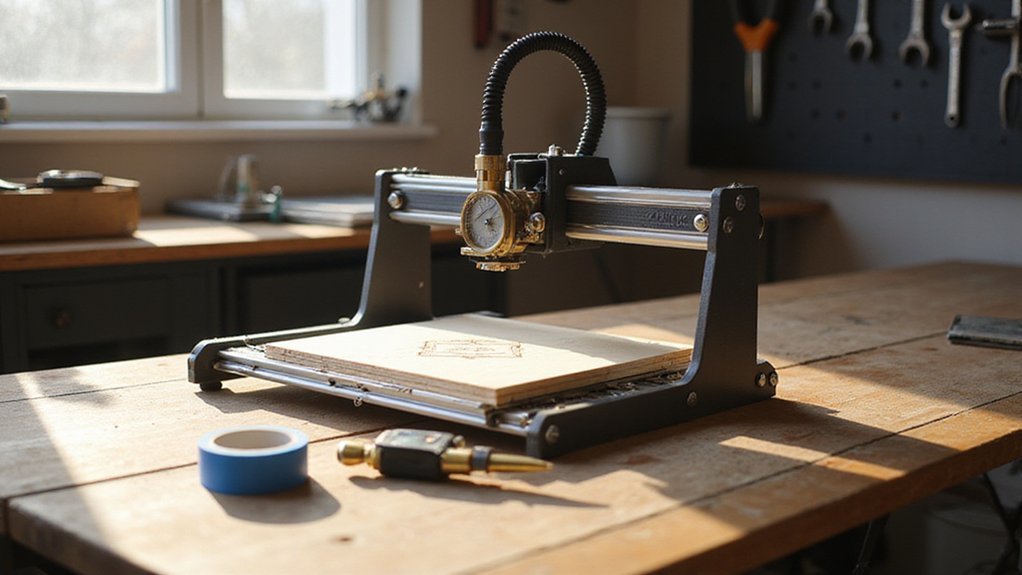
So, before you buy, you need to size up a few key factors that separate a smooth first project from a frustrating mess. You’ll want to think about the work area size for your projects, machine stiffness for clean cuts, and spindle power for different materials. And don’t forget software compatibility and ease of assembly, because you want to be making stuff, not wrestling with setup!
Work Area Size
First up, let’s talk about work area size—it’s the single biggest factor in what you’ll actually be able to make. It directly decides the maximum material dimensions you can handle, so your project possibilities hinge on it. A larger space, say 460mm x 460mm, lets you tackle bigger pieces, but that comes with a higher upfront cost and more room on your bench.
For beginners, compact sizes like 300mm x 180mm work great. You get a smaller footprint, perfect for simple designs and limited spaces. So, match the area to your typical project. Are you crafting small signs or jewelry boxes? Stick compact. Want to cut full size guitar bodies? Go bigger. Choose wisely; it’s your creative limit from day one.
Machine Stiffness
Another factor that can make or break your results is machine stiffness. Think of it as the CNC’s skeleton. A flimsy frame lets vibrations creep in, causing tool deflection and ruining fine detail work. All-metal frames win here; they’re way more rigid than aluminum or plastic builds. And the linear guides matter too. Their stiffness directly controls how accurately the tool moves.
Too little stiffness? You’ll see wonky cuts and risk damaging your material or machine. For crisp edges and a smooth surface finish, you need that rock-solid foundation. Here’s a quick checklist for you:
- Frame type: All-metal over aluminum or plastic.
- Linear rails: Look for reinforced, heavy-duty options.
Don’t settle for a shaky beginner machine. A stiff chassis means you’ll actually master CNC grinding and carving faster!
Spindle Power
Because spindle power directly determines how well your machine can cut through different materials, it’s a key factor to get right. For beginners sticking with wood and plastics, a 300W to 500W spindle is your sweet spot. It’ll handle most hobby projects without breaking the bank.
But if you want to engrave metals like aluminum or brass, you’ll need at least 600W to 1000W to cut effectively. Higher wattage boosts precision and speed, though it also hikes cost and complexity. Don’t overlook the RPM range either, higher RPMs deliver finer, more detailed cuts.
Here’s a quick guide:
- 300W to 500W: Perfect for softwoods, plywood, and acrylic.
- 600W to 1000W: Handles harder materials like aluminum and brass.
Stick with what matches your material goals, and you’ll avoid frustration. Just remember, more power isn’t always better if you’re not using it!
Software Compatibility
Three critical software compatibility factors will make or break your beginner CNC experience. First, confirm your machine works with popular CAD/CAM tools like Fusion360, VCarve, or Easel. These programs simplify design and G-code generation, so you’re not wrestling with complex software from day one. Second, check that the control system supports your operating system, whether that’s Windows, Mac, or Linux. No one wants to buy a new computer just to run a machine. Third, look for wireless control options, like WiFi or a web UI. This lets you tweak settings from your couch, which honestly saves you a ton of trips to the shop. Also, verify the software offers beginner friendly interfaces with step by step guidance. And don’t forget to assess available tutorials, updates, and community support. These resources will rescue you when projects go sideways!
Ease Of Assembly
Since you’re new to CNC, you’ll want a machine that’s mostly ready to run out of the box. Look for models with pre-assembled main components, because that minimizes the complex setup steps you’d otherwise wrestle with. Labeled cables are a godsend, too, they make connecting everything a no brainer. Clear assembly instructions, or better yet, a video guide, will walk you through the rest without frustration.
Machines with modular parts and straightforward connections save you time and effort. You don’t want a puzzle, you want to cut! Simplified designs with built in components and fewer loose parts speed up your setup dramatically. So, choose a machine with detailed guides or support resources to get you carving fast. No one wants to spend their weekend assembling when they could be making chips!
Motor Type
When you’re picking out your first CNC machine, motor type is one of those details that really matters for how the thing actually performs. Stepper motors are your reliable workhorses for beginners: they’re affordable, easy to control, and offer solid precision for most hobby projects. You’ll find them in many entry-level machines.
But if you’re eyeing bigger materials or smoother cuts, consider servo motors. They deliver higher accuracy and faster speeds, though they cost more. For quieter, longer-lasting operation, brushless DC motors are a solid upgrade over brushed ones. They’re more efficient, too.
Your choice really depends on what you’re cutting. Want to engrave wood or PCB? Steppers work fine. Need to tackle aluminum or large sheets? Servos or brushless motors give you an edge. Pick the motor that matches your projects, not just the price tag.
Safety Features
Why wouldn’t a beginner put safety front and center? You’re just learning, and accidents can happen fast. So look for limit switches—they stop the machine if it goes too far—and a big, red emergency stop button you can smack without thinking. A touch screen or wireless control lets you stand clear while adjusting settings, cutting down on user error. You want a fully enclosed design too? That protects you from flying debris and spinning bits. Always check for automatic shutoff or safety interlocks, which kick in during a glitch to prevent injury. And don’t skip the manual—clear warnings and step-by-step guidance help you avoid costly mistakes. Simple safeguards make learning smoother and keep your fingers safe!
Upgrade Options
You’ve got a few upgrade paths that can grow your machine’s capabilities as you gain confidence and take on more complex projects. Look for models that let you swap in a 1.5kW spindle; that bump from a basic router instantly boosts cutting power for harder woods or aluminum. A 4th axis rotation opens up cylindrical carving, while extra tool holders speed up multi-bit jobs. Want precision? Modular guide rails and ball screws let you tighten tolerances over time. Pick firmware that supports closed loop motors or laser modules, so you can add those features later. And don’t overlook software compatibility: offline controllers or wireless options keep your workflow flexible as you level up. These upgrades aren’t just nice to have; they’re the path from simple signs to production work.