
Picture a sturdy metal frame humming under a 500W spindle, carving crisp letters into hardwood or aluminum with surgical precision. You’re about to explore ten CNC engravers that hobbyists and pros both trust, machines balancing power, size, and price for everything from detailed plaques to production runs. But which one fits your workshop best?
| Lunyee 3018 Pro Ultra CNC Machine 500W |  | Heavy-Duty Metal Engraver | Working Area (X x Y x Z): 300mm x 180mm x 80mm | Spindle Power/Speed: 500W, 12,000 RPM | Control System: GRBL offline control | VIEW LATEST PRICE | Read Our Analysis |
| TTC3018 CNC Router 3-Axis Engraver with WiFi |  | Best For Beginners | Working Area (X x Y x Z): 300mm x 180mm x 40mm | Spindle Power/Speed: 775 spindle, 7,000-9,000 RPM | Control System: GRBL, 32-bit STM32 processor | VIEW LATEST PRICE | Read Our Analysis |
| Genmitsu CNC Router 4040-PRO for Metal Engraving |  | Most Expandable | Working Area (X x Y x Z): 400mm x 400mm x 80mm | Spindle Power/Speed: 300W (upgradeable) | Control System: GRBL control | VIEW LATEST PRICE | Read Our Analysis |
| TTC3018 Pro CNC Router Machine (3-Axis) | Best Value | Working Area (X x Y x Z): 300mm x 180mm x 40mm | Spindle Power/Speed: 775 spindle, 7,000-9,000 RPM | Control System: GRBL, 32-bit control board | VIEW LATEST PRICE | Read Our Analysis | |
| FoxAlien Masuter 3S CNC Router Machine |  | Professional Grade | Working Area (X x Y x Z): 400mm x 400mm x 95mm | Spindle Power/Speed: 400W, 10,000 RPM | Control System: GRBL compatible | VIEW LATEST PRICE | Read Our Analysis |
| Genmitsu PROVerXL 4030 CNC Router Machine |  | Most Upgradable | Working Area (X x Y x Z): 400mm x 300mm x 110mm | Spindle Power/Speed: High-power spindle, 12,000 RPM | Control System: GRBL control | VIEW LATEST PRICE | Read Our Analysis |
| Twotrees TTC450 Pro CNC Router Machine |  | Editor’s Choice | Working Area (X x Y x Z): 460mm x 460mm x 80mm | Spindle Power/Speed: 775 brushed spindle motor | Control System: GRBL open-source | VIEW LATEST PRICE | Read Our Analysis |
| Genmitsu CNC 3018-PRO Router Kit (GRBL Control) |  | Budget-Friendly Pick | Working Area (X x Y x Z): 300mm x 180mm x 45mm | Spindle Power/Speed: 24V 120W, 20,000 RPM | Control System: GRBL on Arduino | VIEW LATEST PRICE | Read Our Analysis |
| FoxAlien Masuter Pro CNC Router Machine |  | Best Durability | Working Area (X x Y x Z): 400mm x 400mm x 60mm | Spindle Power/Speed: 300W, 10,000 RPM | Control System: GRBL control | VIEW LATEST PRICE | Read Our Analysis |
| ACMER Ascarva 3 S 500W CNC Milling Machine |  | Highest Precision | Working Area (X x Y x Z): 300mm x 180mm x 78mm | Spindle Power/Speed: 500W, 12,000 RPM | Control System: ESP32 mainboard | VIEW LATEST PRICE | Read Our Analysis |
More Details on Our Top Picks
Lunyee 3018 Pro Ultra CNC Machine 500W
If you’re serious about engraving metals, the Lunyee 3018 Pro Ultra is a heavy-duty metal engraver that won’t let you down. Its 500W spindle and all-metal frame tackle brass, copper, and 6061 aluminum with ease. You’ll appreciate the HGH15 linear guide on the X-axis and 2040/4040 profiles that banish Z-axis wobble. The 80mm Z-height gives you room to work.
Setup is a breeze. The integrated switching power supply cuts wiring time, and pre-assembled components get you engraving faster. You also get limit switches and an emergency stop for safety. Run it offline with GRBL control, no computer needed.
- Working Area (X x Y x Z):300mm x 180mm x 80mm
- Spindle Power/Speed:500W, 12,000 RPM
- Control System:GRBL offline control
- Supported Materials:Brass, copper, aluminum, wood, acrylic, PCB, MDF
- Weight:14 kg
- Maximum Speed:Not specified
- Additional Feature:HGH15 linear guide on X-axis
- Additional Feature:80mm Z-axis height
- Additional Feature:Integrated switching power supply
TTC3018 CNC Router 3-Axis Engraver with WiFi
The TTC3018 is a CNC router built for your first engraving project. It arrives with pre-assembled main components and labeled cables, so setup’s a breeze. You’ll get a 300x180x40mm work area, 0.1mm precision, and a 775 spindle (7000-9000 RPM) that handles wood, plastics, acrylic, even soft metals. Controlled by a 32-bit STM32 processor with GRBL, it connects via USB and works with Artcam or Fusion360. Plus, it’s CE and FCC certified, backed by a one-year warranty and 24/7 support. Perfect for your desktop workshop.
- Working Area (X x Y x Z):300mm x 180mm x 40mm
- Spindle Power/Speed:775 spindle, 7,000-9,000 RPM
- Control System:GRBL, 32-bit STM32 processor
- Supported Materials:Wood, plastics, acrylic, soft metals (copper, aluminum)
- Weight:6 kg (13.2 lbs)
- Maximum Speed:1,500 mm/min
- Additional Feature:32-bit STM32 processor
- Additional Feature:WiFi connectivity included
- Additional Feature:CE, FCC, ROHS certified
Genmitsu CNC Router 4040-PRO for Metal Engraving
Need maximum bang for your buck in a CNC setup that’s most expandable down the road? The Genmitsu 4040 PRO delivers. You get a steel HSS frame with dual 16mm linear tubes on each axis, plus lead screw drivers and dual Y axis rails for rock solid rigidity during metal engraving. Its control box packs a Toshiba TB6S109 driver with a 32 bit chip, plus emergency stop and home buttons in a dust proof metal casing.
You can upgrade it easily. Add a 4th axis rotary module for full 3D carving. Or a Wi Fi module for mobile control. Setup takes just 15 minutes, thanks to pre assembled main parts. Two replaceable MDF spoilboard panels make maintenance a breeze. It’s a smart investment for hobbyists and pros alike!
- Working Area (X x Y x Z):400mm x 400mm x 80mm
- Spindle Power/Speed:300W (upgradeable)
- Control System:GRBL control
- Supported Materials:Metal, acrylic
- Weight:20.84 kg
- Maximum Speed:Not specified
- Additional Feature:Steel HSS frame construction
- Additional Feature:Dust-proof metal control box
- Additional Feature:4th axis rotary upgradeable
TTC3018 Pro CNC Router Machine (3-Axis)
You’re a hobbyist or small business owner who wants precise engraving without breaking the bank. The TTC3018 Pro delivers with an all-metal build, a 300x180x40mm workspace, and T8 lead screws that kill backlash. Expect 0.1mm accuracy for wood, acrylic, MDF, or nylon. It even handles thin aluminum and brass sheets, perfect for small batch production.
The 775 spindle runs at 7000 9000RPM, and the ER11 collet accepts standard bits. It’s GRBL compatible, working with Windows, Mac OS, and software like ArtCam. No WiFi or Bluetooth, though. Setup is straightforward with 40+ included parts, and you start creating immediately. It’s lightweight, desk friendly, and backed by solid reviews.
- Working Area (X x Y x Z):300mm x 180mm x 40mm
- Spindle Power/Speed:775 spindle, 7,000-9,000 RPM
- Control System:GRBL, 32-bit control board
- Supported Materials:Wood, acrylic, MDF, nylon, lightweight aluminum, brass
- Weight:6.8 kg (15 lbs)
- Maximum Speed:Not specified
- Additional Feature:All-metal Z-axis construction
- Additional Feature:T8 backlash-eliminating lead screws
- Additional Feature:40+ components for assembly
FoxAlien Masuter 3S CNC Router Machine
FoxAlien Masuter 3S packs professional grade precision into a hobbyist friendly package. You get a 0.05mm accuracy that rivals industrial machines, thanks to those NEMA 23 closed-loop stepper motors that refuse to skip steps. Your workspace measures 15.75 inches square, and you can expand it with an X-axis kit when you need more room.
The 400W spindle handles soft metals and plastics easily, but you can upgrade to a 1.5kW unit later. Add the 4th Axis Rotary Module for engraving mugs or chess pieces. The dust-proof control box keeps your workshop tidy, and you can run it offline with a compatible controller.
- Working Area (X x Y x Z):400mm x 400mm x 95mm
- Spindle Power/Speed:400W, 10,000 RPM
- Control System:GRBL compatible
- Supported Materials:Wood, acrylic, aluminum, plastics
- Weight:26.5 kg
- Maximum Speed:10,000 mm/min
- Additional Feature:Closed-loop NEMA 23 stepper motors
- Additional Feature:X-axis extension kit available
- Additional Feature:Dust-proof control box design
Genmitsu PROVerXL 4030 CNC Router Machine
The Genmitsu PROVerXL 4030 is the most upgradable machine for ambitious hobbyists who want to grow their workspace over time. You’ll start with a sturdy 400 x 300mm working area, but the real magic? You can upgrade to a whopping 24”x24” or even 40”x40” later using simple kits. That’s right: your initial investment scales with your ambition. It boasts a rigid C-beam frame, dual screw Y-axis drive, and an optical Z-axis drive for precision. Plus, it includes limit switches, an emergency stop, and a Z-probe right out of the box. And with a 3-month Carveco Maker subscription included, you’re designing and carving immediately.
- Working Area (X x Y x Z):400mm x 300mm x 110mm
- Spindle Power/Speed:High-power spindle, 12,000 RPM
- Control System:GRBL control
- Supported Materials:Wood, metal, acrylic, MDF
- Weight:31 kg
- Maximum Speed:Not specified
- Additional Feature:C-beam structural frame
- Additional Feature:Dual screw Y-axis drive
- Additional Feature:3-month Carveco Maker subscription
Twotrees TTC450 Pro CNC Router Machine
For makers wanting a large work area and high precision, the Twotrees TTC450 Pro is our editor’s choice. Its 18.1-inch bed lets you tackle furniture panels or batch signage, while that NEMA 57 stepper motor drives Z-axis accuracy down to 0.0025 mm. You’ll love the 3.5-inch touch screen for intuitive control, plus dual limit switches on all axes keep everything locked in place. And it’s ready to grow: ports for a 4th axis or laser module let you upgrade easily. You get ten cutting tools, six clamps, and test materials right in the box. With CE, FCC, and RoHS certification, it’s safe for your workshop or classroom.
- Working Area (X x Y x Z):460mm x 460mm x 80mm
- Spindle Power/Speed:775 brushed spindle motor
- Control System:GRBL open-source
- Supported Materials:Wood, acrylic, carbon fiber, aluminum, copper, stainless steel
- Weight:20.5 kg
- Maximum Speed:Not specified
- Additional Feature:3.5-inch IPS capacitive touch screen
- Additional Feature:NEMA 57 stepper motor
- Additional Feature:Dual limit switches on all axes
Genmitsu CNC 3018-PRO Router Kit (GRBL Control)
If you’re after an entry-level machine without breaking the bank, this budget-friendly pick is hard to beat. The Genmitsu CNC 3018-PRO gives you a 300 x 180 x 45mm working area for engraving plastics, PCBs, woods, and even soft aluminum. Its upgraded design reduces assembly headaches, plus the taller 4cm base adds stability. You’ll control everything via open-source Grbl software on Arduino, so support resources are plentiful. Want bigger projects? Add the Y-axis extension kit. And with a 20,000 RPM spindle, you can plug and play without tweaking G-code. It’s a solid, dependable starter rig.
- Working Area (X x Y x Z):300mm x 180mm x 45mm
- Spindle Power/Speed:24V 120W, 20,000 RPM
- Control System:GRBL on Arduino
- Supported Materials:Plastics, acrylic, PCB, PVC, wood, soft aluminum
- Weight:6.9 kg (15.3 lbs)
- Maximum Speed:Not specified
- Additional Feature:4cm increased base height
- Additional Feature:3040 Y-axis extension optional
- Additional Feature:20,000 RPM spindle without G-code mods
FoxAlien Masuter Pro CNC Router Machine
You’re a woodworker craving precision without the frustration of a wobbly machine. The FoxAlien Masuter Pro delivers with its all-aluminum frame and linear rail Z-axis, giving you rock-solid stability for detailed engraving. Setup takes just 10 to 15 minutes, thanks to pre-assembled components and pre-wired parts. You get a 15.75-inch square work area, expandable with an optional Y-axis kit. It accepts two spindle clamps (52mm and 65mm), so you can upgrade to a 1.5KW spindle later. The compact controller box keeps dust out, with easy access to emergency stop and home buttons. At 13 kilograms, it’s sturdy but manageable.
- Working Area (X x Y x Z):400mm x 400mm x 60mm
- Spindle Power/Speed:300W, 10,000 RPM
- Control System:GRBL control
- Supported Materials:Wood, acrylic, aluminum
- Weight:13 kg
- Maximum Speed:Not specified
- Additional Feature:Linear rail Z-axis
- Additional Feature:Dual spindle clamp sizes included
- Additional Feature:Compact dust-resistant controller box
ACMER Ascarva 3 S 500W CNC Milling Machine
The ACMER Ascarva 3 S 500W CNC milling machine delivers highest precision for makers who demand reliability in small workshops. You get an 11.81″ x 7.09″ x 3.07″ work area, perfect for wood, plastic, metal, or acrylic projects. Its 500W spindle hits 12,000 RPM, giving you ±0.025 mm repeat accuracy for intricate engraving. The reinforced aluminum frame keeps things stable, and at 25.4 lbs, it’s solid but manageable.
Setup’s modular, so you can upgrade it into a wood router later. Safety features include an emergency stop and six limit switches, plus a tool setter for quick calibration. It works with Windows, macOS, or Linux via USB, supporting .nc and .gcode files. And you get a 30 day return policy, backed by a perfect 5 star rating.
- Working Area (X x Y x Z):300mm x 180mm x 78mm
- Spindle Power/Speed:500W, 12,000 RPM
- Control System:ESP32 mainboard
- Supported Materials:Wood, plastic, metal, acrylic, MDF, nylon
- Weight:11.5 kg
- Maximum Speed:Not specified
- Additional Feature:ESP32 mainboard
- Additional Feature:Six limit switches
- Additional Feature:Dedicated tool setter included
Factors to Consider When Choosing a CNC Machine for Engraving
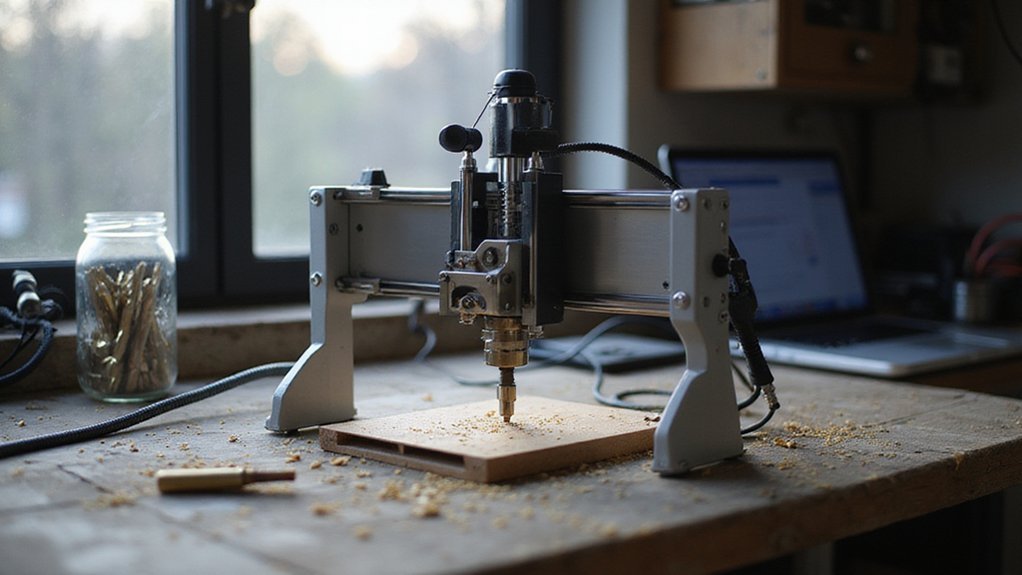
Before you buy a CNC machine for engraving, you’ll need to size up the work area size to make certain it fits your projects, like whether you’re etching a small ring or a large sign. The spindle power rating directly affects how fast and deep you can cut, with higher wattage handling tougher materials like metal versus just wood or plastic. And don’t overlook the frame build material, software compatibility, and precision & accuracy, as these determine the machine’s stability, ease of use, and the sharpness of your final engraving.
Work Area Size
Why does work area size matter so much for your CNC engraving machine? Simple: it dictates the maximum material dimensions you can handle in one go. If you’re crafting signs or large panels, you’ll need a bigger work area. But don’t assume bigger is always better. Smaller setups, say 12”x12”, excel at intricate jewelry or tiny components, offering tighter precision without the bulk of a massive frame.
Here’s the trick: think ahead. A machine with a flexible or expandable work area saves you from buying a second unit later. Measure your typical projects accurately before committing. That 8”x10” area might feel tight today, but could you use more space in six months?
Consider your balance between size and stability. Larger machines demand sturdier builds, so weigh extra cost against future freedom.
Spindle Power Rating
How do you figure out the right spindle power rating for your CNC engraving machine? It’s all about matching power to your materials. For light tasks like PCB engraving or soft wood carving, a 100W to 200W spindle works perfectly. That’s your entry level. But if you’re tackling denser stuff like metals or hardwoods, you’ll want 500W or more. That extra power lets you cut faster and handle bigger, complex projects without bogging down.
For detailed engraving on plastics or acrylics, aim for at least 300W. It’s a sweet spot: strong enough for precision, but not overkill. Remember, the higher the rating, the more versatile your machine becomes. So, ask yourself: what do you want to engrave? Your answer points directly to the right power level.
Frame Build Material
Once you’ve sorted out spindle power, the frame build material becomes your next big decision. This choice directly dictates your machine’s stability and rigidity, which is the bedrock of engraving precision. You’ll find metal frames, like aluminum or steel, far surpass plastic or acrylic in durability and vibration resistance. Aluminum is a favorite: it’s lightweight and strong, making desktop machines portable without sacrificing accuracy. Steel offers even more heft for heavy duty work. Stick with an all-metal frame if you plan to engrave hard materials like metal or dense plastics. It withstands long term use and demanding tasks much better. So, don’t skimp here. A solid frame pays off in cleaner, more consistent cuts every time.
Software Compatibility
Before you lock in your machine choice, software compatibility can make or break your engraving workflow. You’ll want a machine that plays nice with popular design software like ArtCam, Fusion 360, or Candle. That guarantees seamless file transfer and a smooth project flow.
Check that it supports standard G-code formats, such as .nc or .gcode. This makes integration with control software a breeze. Also, verify the control system, whether it’s GRBL, Mach3, or LinuxCNC, to match your preferred environment. And don’t overlook offline or PC based operation options.
Look for software update capabilities or support for third party plug ins. These enhance functionality and keep your workflow flexible. Finally, confirm the hardware and firmware allow for upgrades or custom configurations. That way, you stay compatible with evolving design and control software without getting stuck.
Precision & Accuracy
What actually determines how fine a line your CNC machine can carve? It’s all about repeatability, which measures how accurately the machine returns to the same position each time. High-end models boast repeatability as tight as ±0.0025 mm.
You’ll want robust linear guides, dual rails, and quality lead screws. These components maintain accuracy even during demanding cuts. The spindle’s stability and a rigid frame directly impact your results, especially when carving metals or intricate details. Don’t overlook calibrated tools either; they’re essential for consistent precision across multiple projects.
Your choice of control software also matters. GRBL or Mach3, for example, directly influence how precisely the machine executes complex engraving paths. A stiff frame, good components, and solid software: that’s your recipe for flawless fine lines.
Ease of Assembly
Since assembly can make or break your first impression of a CNC machine, you’ll want to prioritize models that come with pre-assembled components and clearly labeled, organized wiring. Look for detailed manuals or video guides—they’re lifesavers, cutting your setup time drastically. You’ll appreciate a user-friendly interface paired with labeled parts, making configuration a breeze.
Opt for routers that minimize complex steps, ideally offering plug-and-play options. Safety features like limit switches and emergency stops should integrate smoothly during assembly, not complicate it. And remember, a machine that’s easy to build gets you engraving faster, with less frustration. It’s that simple!
Budget Price Range
First up on the budget price range: your wallet is the real boss here, so let’s get real about what you can spend. Setting a clear budget narrows your choices fast, from under $200 for small hobbyist units up to $1,500 for more precise, feature-packed models. Remember, the initial price isn’t your only cost. Factor in accessories, software, and maintenance too. Higher priced machines often deliver better build quality, more accurate engraving, and perks like WiFi or upgrade paths. But a tighter budget doesn’t mean you’re stuck. It just means balancing your project needs with your long term investment. You’ll find reliable machines in that middle range around $500 to $1,000 that handle most engraving tasks well. So start with your number, then match it to the features you truly need. That’s how you spend smart.